The highlights, on one page
The essentials for using the Map and the Dossier — for the full walkthrough with every feature, see the full manual.
Get in
1. Sign in
Email/password or Google — one account works on both apps.
2. Join your world-faction
Enter your world #, faction, and the code your admin shared. One field takes either kind of code: the regular codeword unlocks everything, a dossier-only code unlocks just player tracking.

3. Set your stronghold
First sign-in asks where your stronghold sits (e.g. 1752, 1829) so allies can find you — skip it and set it anytime from the account menu, or by claiming your stronghold hex on the map.
Belong to more than one?
Switch world-factions from the globe icon on the map, or the dropdown in the dossier header — no need to sign out.
Map toolbar, at a glance
Navigate by typing coordinates into the top-left box, or with +/− to zoom and 0 to recenter.
The essentials on the map
Claim a hex
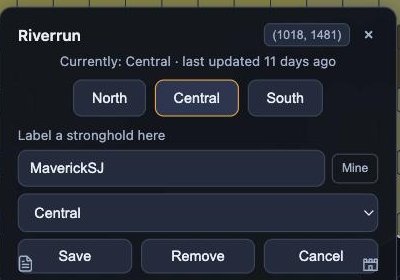
With Select active, click any hex to open its claim card: pick the faction that holds it, and optionally label whose stronghold sits there.
Drop a pin
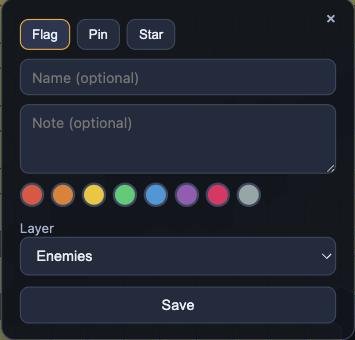
Flag, pin, or star — with a name, note, color, and a layer to file it under.
Batch-select
Drag instead of click with Select active to grab every landmark in an area as a copyable coordinate list.
Filters are non-destructive
They only change what you see. Save a combination you like under Favorites for one-click recall.
Import instead of typing
Upload roster/territory screenshots and review the parsed result before it saves.
The essentials in the dossier
Quick record
The fastest way to log activity: pick a player, confirm the time, hit Record. Each one adds a data point to that player's playtime history.

Record via screenshots
Profile, member list, stronghold, resource tile, battle report, march — six kinds, all parsed and reviewable before saving.
Player detail
Click anyone in the list for their full record — power, tier, stronghold, a power-history chart, and a playtime breakdown.
Merge duplicates
⌘/Ctrl-click two rows for the same real player to combine their histories.
Power chart
Every active player, overlaid by faction, ranked by power — filterable by faction, alliance, and active/all.
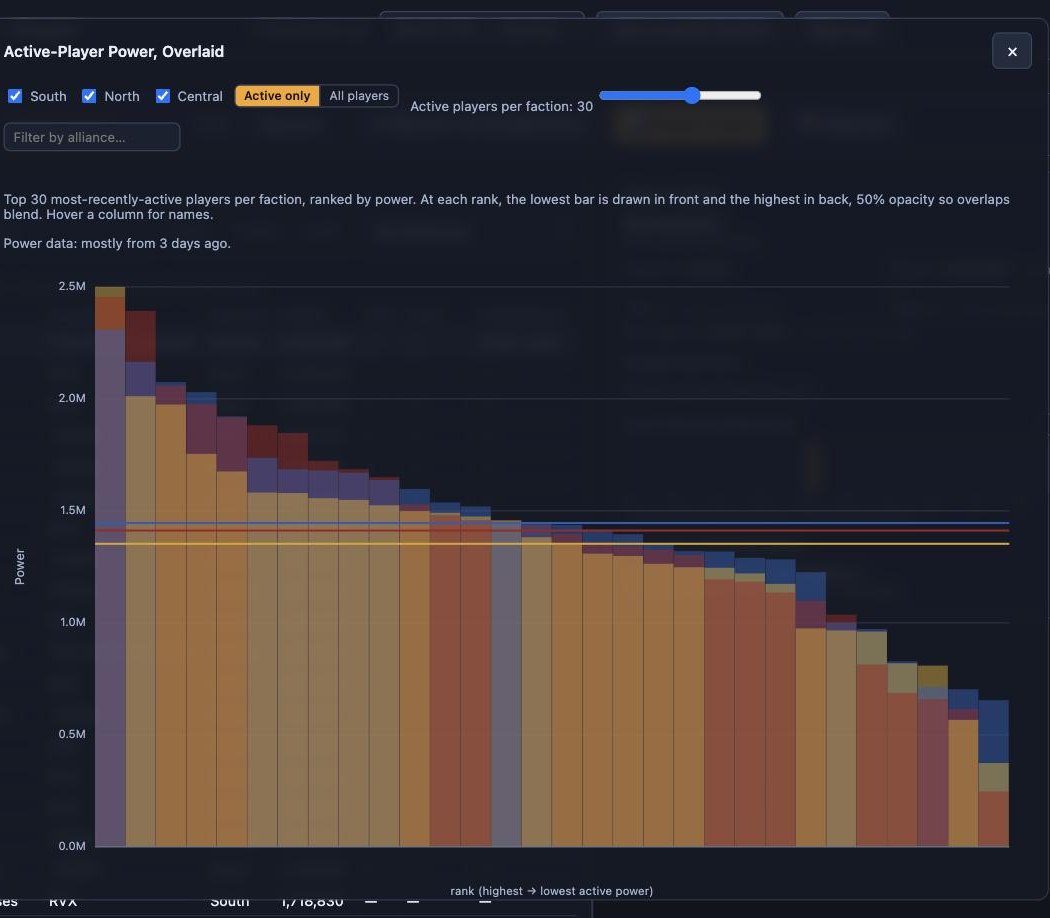
An old "last login" still shows — just marked (old), with the real age on hover. The power chart tells you how stale its data is, based on when each screenshot was actually taken, not when it was uploaded.